When you photograph clothes with a smartphone, a dull blue in person can look vivid on screen. You open a saved outfit photo the next day and the impression has changed. In such cases, before redoing your color choices, try separating the checks into three: the light you view the real garment in, the settings that produce the photo, and the screen you view the photo on.
This article covers using photos of clothes you own as records for matching colors. It is not a procedure for making a photo match the real color perfectly, but five checks to sort out at which stage the difference arises, so that you hesitate less when choosing clothes. Shooting and display features differ by model, so check only the items you have.
1. Separate where the difference lies: real garment, photo or screen

First, prepare the real garment and the one photo that bothers you now. Rather than switching the screen left and right and comparing photos from different days, decide on one part of the real garment that looks different. Put it into words: not "the color is off," but "the blue part leans purple," "everything is brighter," or "the white pattern looks yellow too."
The real garment itself also gives a different impression depending on where you view it. If you are looking outdoors at clothes shot indoors, the light when you took the photo and the light now are not the same. First check where you took it and where you are viewing the real garment. Deciding whether to change clothes or buy again can wait until you have made this distinction.
Next, look back at whether you edited the photo after taking it. If you used a filter that boosts color, a brightness change, or an app's automatic adjustment, see whether the unedited photo remains. Do not mix the original photo and the edited one when judging how the garment dyes or fades.
If the same photo looks different by time of day even on the same device, the screen settings are also a candidate to check. On the other hand, if both the clothes and the wall in the photo look yellow, that is a clue to review the light when shooting or the photo's color adjustment. Do not conclude the cause from this alone; use it as a marker for moving to the next check.
Align the places you compare to the same part, using pattern boundaries or seams as landmarks. If you compare a sleeve in shadow on the real garment with a bright chest area in the photo, even the same garment looks different. Before looking for small differences, first make sure you are comparing lit surfaces with lit surfaces, or shadowed surfaces with shadowed surfaces.
For example, if you like the real blue but only the photo looks purple, it is not necessarily a failure of the color scheme. Conversely, if the combination does not feel settled even when you lay the real garments side by side in the same place, reviewing how the garments relate to each other suits your purpose better than the shooting settings. Keep the question of fixing the photo separate from the question of choosing colors to wear.
2. Match the light on the garment and reduce mixed light

If you retake the photo, look at where the light falls on the garment. When light from a window and indoor lighting hit it at the same time, the left and right sides of the garment may give different impressions of color. Change where you place it within a range you can move safely, and try to avoid a state where lights of different colors strongly hit the same surface.
Being by a window does not mean it will always show the real color. Direct sunlight, shade and an overcast sky give different light, and it also changes with the time of day. Rather than moving to a dazzling spot, look for a place where strong streaks of light and deep shadows do not overlap on a single garment. Arrange the garment and where you stand before shooting.
If your purpose is to record color matches, shooting in roughly the same place and direction each time makes differences easier to think about. If you place it on a desk, show the front of the garment and lightly smooth out strong creases. For photos of yourself wearing it, decide where you stand and avoid getting too close to the light on one side. You do not need to forcibly stretch the garment flat.
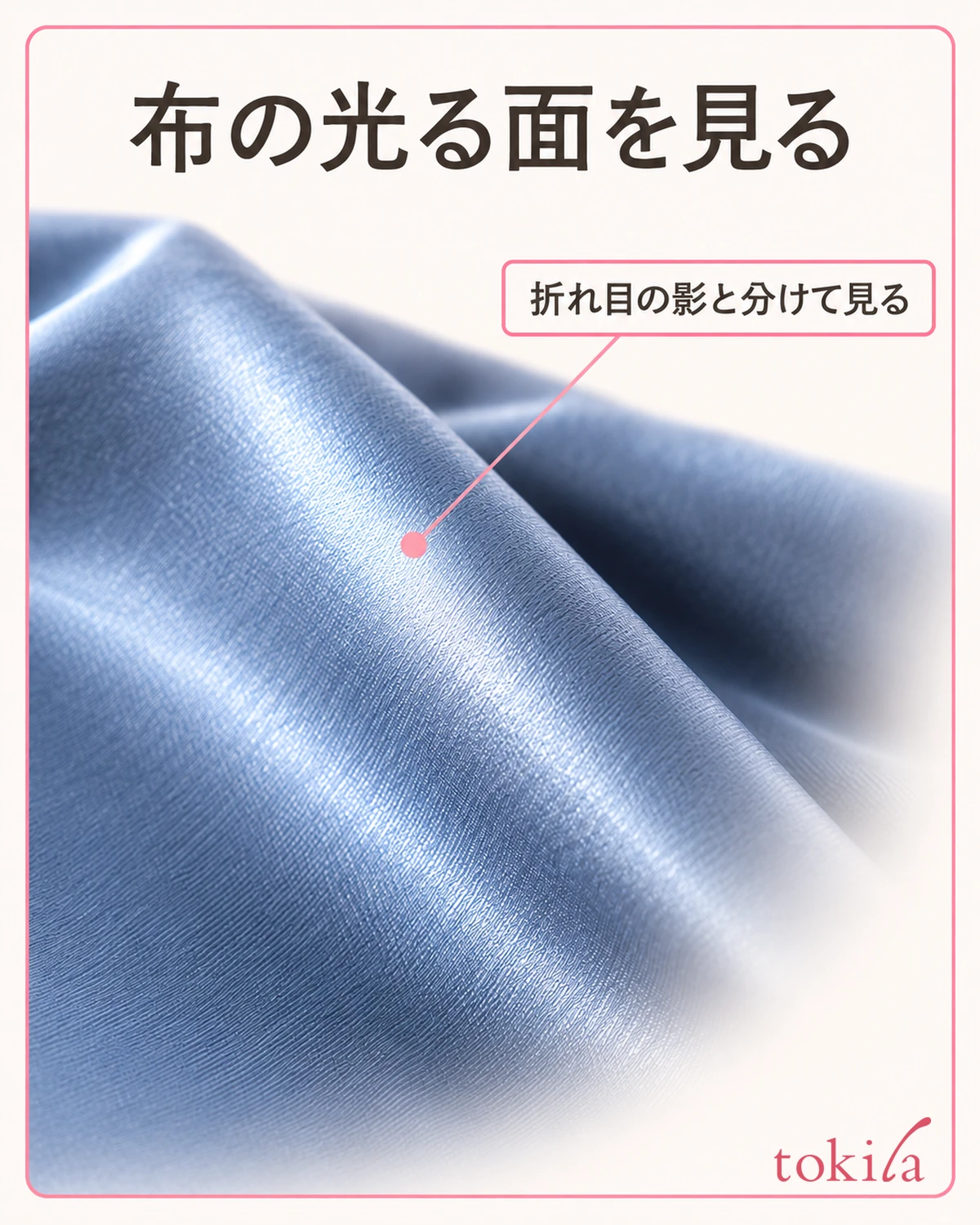
Fabrics with sheen, nap or weave show bright and dark surfaces depending on the viewing direction. If it looks deep from the front and whitish when slightly tilted, look at the difference in reflection as well as color. Rather than changing direction each time to find the most vivid state, record how the whole garment looks, then keep a separate photo of the texture that bothers you; this keeps things organized.
If you change the surrounding brightness, such as by turning off indoor lights, secure the safety of where you walk first. You do not need to keep distinguishing fine colors in a dark room. If differences remain even after changing one light, do not try to solve it with light alone; move on to checking the shooting and the display.
3. Check camera filters and automatic color adjustment

When you open the camera, check whether a filter or shooting style that changes color is selected. The names shown on screen differ by model and app. For clothing records, leave it clear whether you intentionally used a color adjustment, and do not keep changing settings one after another while comparing. If you change your usual settings, remember them first so you can restore them.
A function that adjusts how white looks in a photo is called white balance. It compensates for the influence of the color of light, but left on automatic it does not always match the impression you see. If your camera does not have that item, you do not need to keep searching for hidden settings; it is fine to start with conditions you can confirm, such as light and filters.
Even if manual adjustment is available, look at the whole photo before greatly shifting the blue or red tones by looking only at the garment. If the wall and surrounding objects also take on unnatural colors, check whether you are matching too much to just one color of the garment. Photographing a white sheet of paper together is also affected by the paper's color, the lighting and the camera's processing, so do not assume that merely placing it provides an accurate color reference.
When shooting, make the same part of the garment about the same size in the frame. A close-up photo and one with a lot of background can change the automatic brightness and color adjustment. Rather than greatly changing the background and distance for each photo, first shoot while keeping the composition and check the conditions you changed one at a time.
Also open the photo after saving. If you finish by looking only at the screen before shooting, you cannot check the difference in the saved image. Keep the original photo and, if needed, store the edited one separately. Using the edited photo to convey mood and the original to look back at conditions, with each purpose decided, keeps them from mixing.
4. Look at screen brightness and warm display with a single photo

When checking the display side, fix the photo to just one. If you adjust the screen every time you open a different photo, it becomes hard to tell whether the photo or the setting was different. See whether your device has brightness, a function that makes the screen warmer with the time of day, and a function that adjusts color to ambient light.
Whether these functions exist, and what they are called, differs by device. You do not need to turn off the display you are used to across the board. Even if you check settings only for the short time you compare colors, remember the original state and give priority to visibility and any accessibility settings you need. This is not a check that guarantees the correct color if you change the settings.
Do not fix the brightness at maximum; keep it within a range where you can view the photo comfortably. If reflections of lighting on the screen are strong, first change the angle you hold it at or where you stand. Avoid a state where the real garment is in shadow while only the screen is dazzling, and then compare the same part.
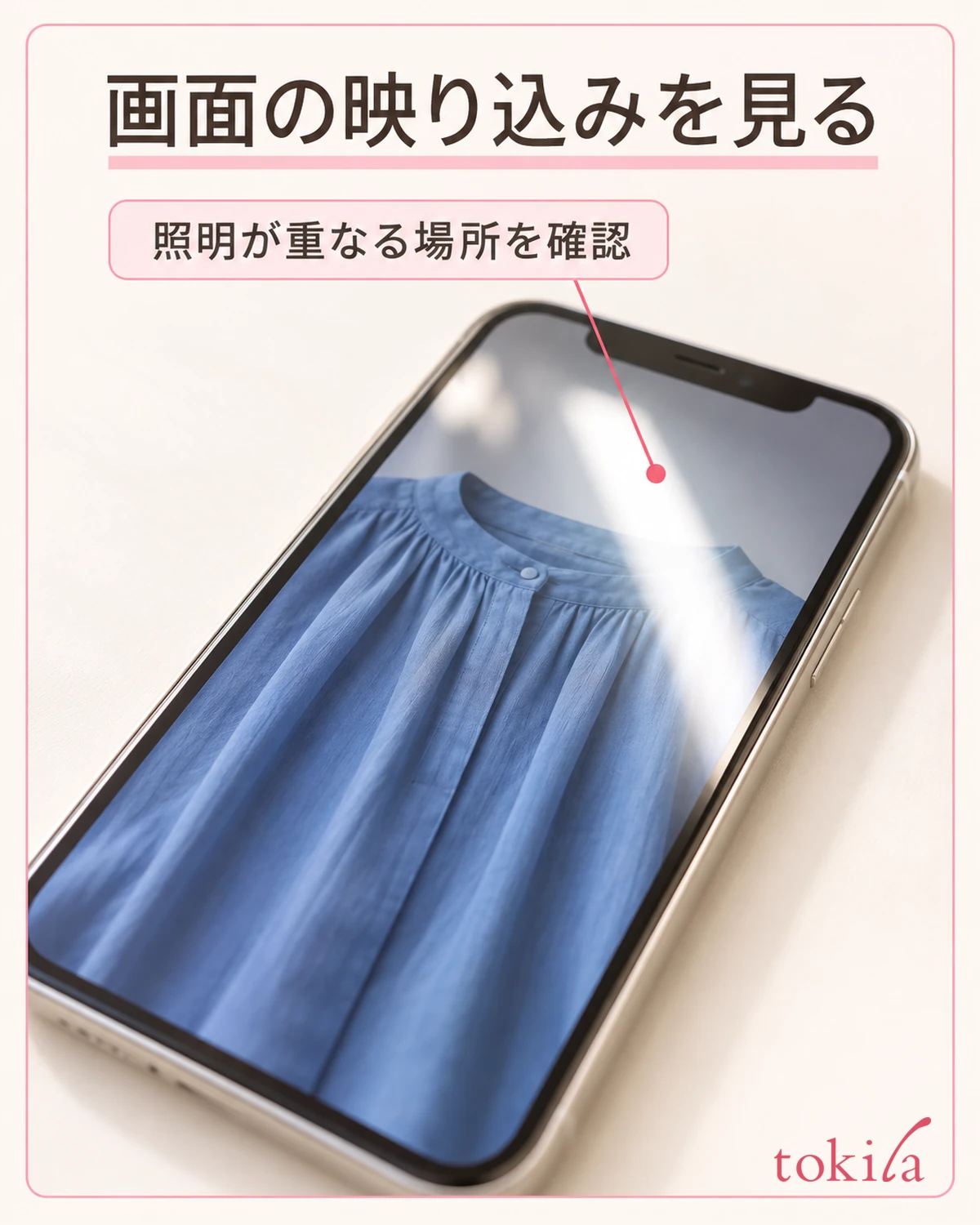
The colors may not match even when you view the same photo on another device. Because screens differ from one to another, do not decide that whichever of two devices looks nicer is the "correct real color." If you send the photo to someone, assume you cannot make their screen display the same, and add a color name or a note such as "in person it looks a little darker" to convey it better.
After checking one display setting, go back to the same photo without retaking it. If you notice a change, also distinguish that you did not edit the photo file itself. Keeping apart the settings for remembering the color you saw on screen and the color adjustments saved in the photo makes it easier not to be confused the next time you open it.
5. Return to the real garment for color matching, and leave conditions with the photo

The final check in deciding an outfit is to lay out the garments you will actually combine, or to wear them. Simply placing two separately taken photos side by side on a screen does not mean the light and the shooting adjustments match. Whether the blues are similar, and how it looks next to white, should be seen with the real garments in the same place.
Also decide on one purpose for your judgment. If you want to remember combinations you wear every day, a full-body photo that shows "I wore this top with this bottom" is more useful than classifying color names in detail. If you need to record subtle color differences, do not settle it with a photo alone; keep it paired with how the real garment looks and your own notes.
Add a short note to the record of where you shot it, which lighting you used, and whether you used a filter. Conditions you can return to next time, such as "by the window, no room light, no color editing," are useful. Use it not as a record of measured accurate color but as a memo of the situation in which it looked that way.
When the color you saw while shopping online differs from the garment that arrives, do not treat only your own record photo as proof of the product's exact color. First check the color name or number at the time of the order, and make any necessary inquiry following the seller's procedure. The checks in this article do not determine whether the item received differs from what was ordered or is defective.
On your next shooting day, check just one of the place, the shooting settings and the display settings that bothered you. Just because the same garment looked like a different color, you do not need to immediately buy clothes of another color. If you like it in person, keep that combination, and use the photo as a record that helps you choose clothes.
If you are still unsure about the color combination itself after laying out the real garments, see the basics of combining clothing colors. How white clothes look can also be checked in steps for checking the color of innerwear under white tops. Review the light on the real garment, the adjustments at shooting, and the display on the screen separately, and keep the one photo that suits your purpose.