When you look back at a keepsake photo, the outline of an outfit you loved seems to disappear into the background. You did not notice it when choosing your clothes, yet your shoulders and arms are hard to distinguish in the group photo. Before switching to a brighter outfit, look at where your clothing meets the background.
This article explains how to check the background color, the lightness of your clothes, and where you stand before taking photos in clothes you already own. The aim is to check color combinations that preserve the outline of an outfit you like, rather than make photographic colors match real life perfectly. Everyone does not need to change into the same color or buy special photography equipment.
1. Check the outline against the background before focusing on clothing color

First, open just one photo that concerns you. Look for where the shoulder, upper arm, side of the torso, or hem blends into the background. Whether your whole figure looks indistinct or only a sleeve against a dark wall is hard to see determines what to compare next.
Even when colors are similar, an edge can remain visible if the clothing differs in lightness or texture. Conversely, even colors with different names can make an outline hard to see when dark clothes overlap dark shrubbery. Look on both sides of the edge instead of deciding that blue does not work.
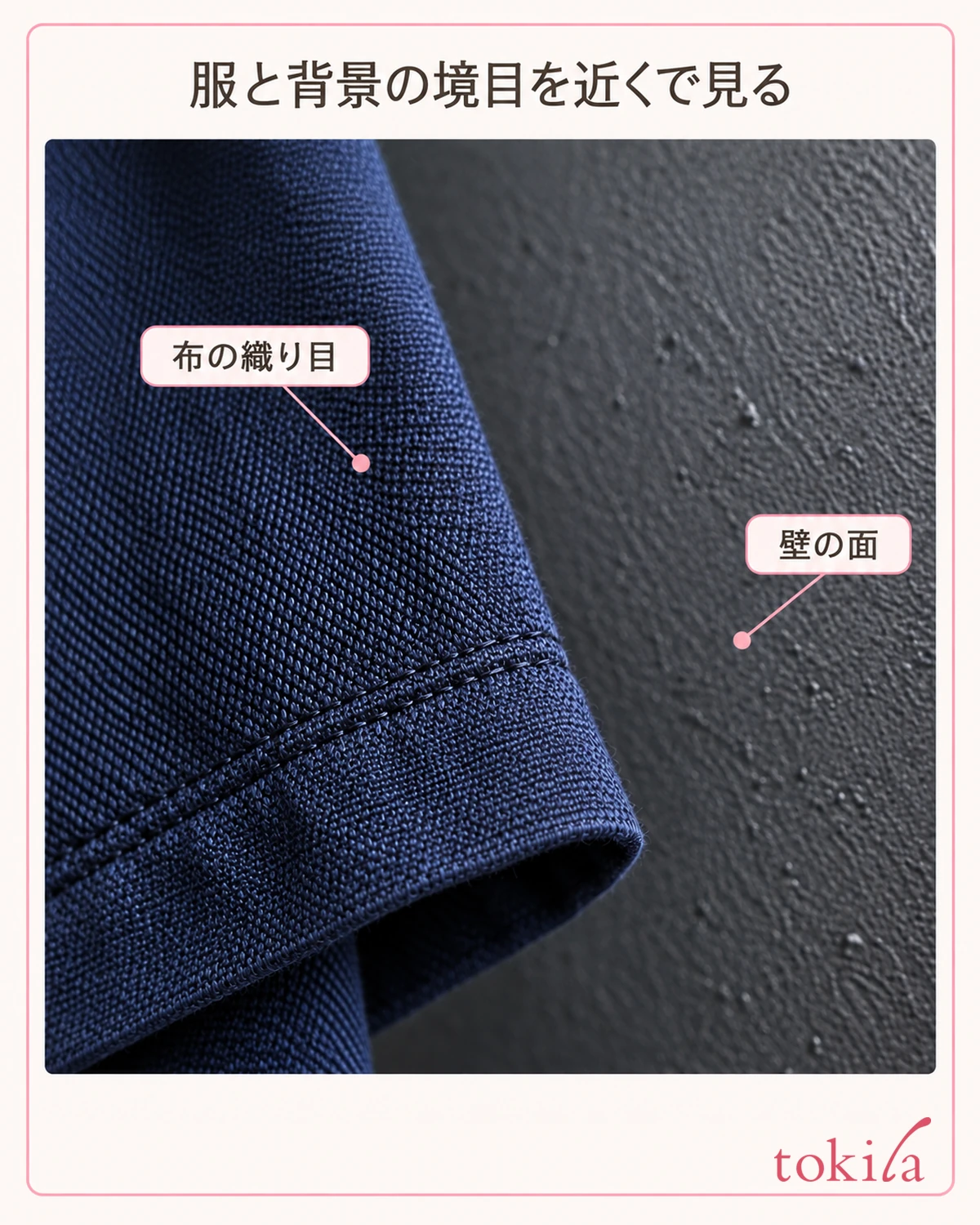
If the whole person and even the background look blurred, color combinations may not be the only cause. Movement during the shot, focus, and viewing a greatly enlarged image can also matter. Distinguish a blurred outline from a sharply focused image in which adjacent areas look like one color surface.
Next, return the photo to a size that shows the whole image. You do not need to force a correction for a difference you only notice under strong magnification. Deciding whether you want a keepsake portrait that shows faces or a photo that preserves the shape of your clothes helps narrow down which outlines to check.
Before the shot, look at yourself and the wall behind you on the camera screen. Check all the way to the outside of your shoulders, rather than looking only at the clothes in front of you. Similar clothing and wall colors can stay if you like that mood. If you want the outline to stand out a little more, move on to comparing backgrounds.
It is also important not to try to create a clothing outline by changing skin brightness or heavily correcting just part of the face. Start with the relationship between the clothing and background. Remember one spot that concerned you in the photo, then choose a condition to change.
If just one person concerns you in a group photo, also check the boundary between that person's clothes and the neighboring outfit. The problem may be similar colors on people whose shoulders overlap, rather than the background. This check helps distinguish whether to change the wall behind you or slightly adjust how people stand. If the order is difficult to change, discuss a composition that works under those conditions with the photographer.
2. Compare lighter and darker areas of the background before changing clothes

If you can choose the location, try changing just the background while keeping the same outfit. With dark navy clothes, compare the outline of your shoulders and sleeves against dense, dark shrubbery and a light wall. With pale clothes, a subdued background other than a white wall is another option.
There is no rule that any light background will work. Do not force yourself to use a spot where strong sunlight reflecting off a white wall is dazzling, or where only the background is very bright and your face appears dark. Check the brightness of your face and clothes on the screen along with the background.
When changing backgrounds, keep the person's size in the frame and the camera height as similar as possible. If one photo is a facial close-up and the other a distant full-body shot, it becomes difficult to judge differences by color alone. If the light changes, recognize that you are comparing those conditions together as well.
Using just part of a wall or shrubbery is another option. If the background has a strong boundary between light and dark, check whether it passes directly behind the neck or shoulders. Shift your position slightly to see whether the outside of the clothing falls against a single, quiet area.
Even against the same wall, signs, pillars, or patterns may overlap the shoulders. Before counting colors, check whether the area near the clothing outline you want to show is busy. Simplifying the background is an option; it does not mean you must remove a place that holds memories.
For a group photo, do not choose a background solely for one person's outfit. Include everyone's face and upper body in the frame. Check how much room you have to move and ask the photographer's opinion, then try one shot. If you cannot change the background, move on to comparing outer layers you already own.
Indoors, shadows change between standing directly under a light and a little farther away, even in front of the same wall. Choosing a mark on the floor for the comparison helps you notice if you unintentionally moved closer to the light for the second shot. If you cannot isolate the background alone, you can choose based on your overall preference, including the face, for that combination of location and light.
3. When the background is fixed, compare the edge with one outer layer

Where you cannot change the background, such as a ceremony venue wall or an assigned photo seat, consider an outer layer you already have. Before rethinking the colors of your whole outfit, put on a layer that covers the outer edge from shoulders to torso and see how the boundary with the background changes.
For example, on a day when you wear dark clothes against a dark background, compare them with and without a slightly lighter cardigan you own. For light clothes against a light wall, you could try an outer layer in a subdued, darker shade. These are examples for comparison, rather than a requirement that everyone create the same light-dark contrast.
Changing an outer layer changes its shape, thickness, and shoulder line as well as its color. Even if the outline becomes easier to see, do not attribute the entire difference to color. Simply judge whether you like how that outer layer looks against today's background.
Adding a small necklace or a different bag color leaves the outside of the shoulders unchanged. Separate the enjoyment of an accent at the neckline from the aim of distinguishing the clothing's outer edge from the background. Check whether the outer layer actually covers the area where you want to change the boundary.
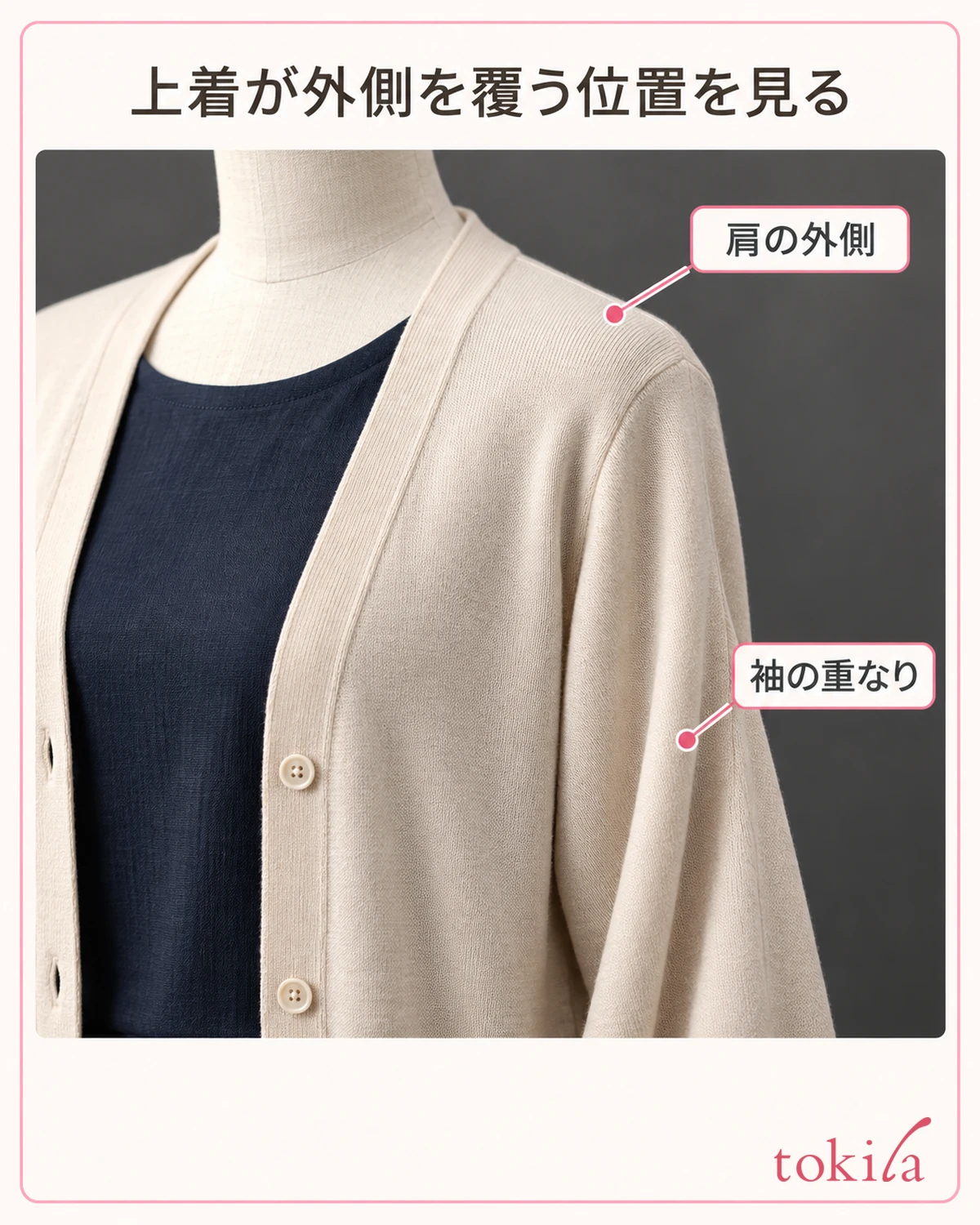
You do not need to endure heat or restricted movement just to wear an extra layer. First check the venue's dress requirements, comfort when seated, and how easily you can move your arms. If you also want photos without the outer layer, taking one of each look is an option.
The idea of comparing lightness between clothes is also explained in color coordination basics. Here, the key is to consider not only the upper and lower parts of the outfit but also the background around it in the photo. Before buying another color, try comparing with a layer you already own.
4. Adjust where you stand and check a photo that includes everyone

Once you have chosen the clothing and background combination, check where to stand. If you can safely move away from the wall, step slightly forward instead of standing right against it, and look at what appears behind your shoulders on screen. Distance alone does not guarantee a clearer outline, but it lets you reconsider the overlap with the background.
Even a small sideways move by the photographer changes the position of pillars or windows behind the shoulders. Before repeatedly moving the people in the photo, check who can move more comfortably. Do not choose a composition that blocks a passage or puts someone at the edge of a step.
When posing side by side, also look at the boundaries between people's clothes. If two people wearing similarly dark colors overlap into one shape, reduce the overlap at their shoulders within a natural arrangement. No set gap is required; prioritize keeping faces visible and allowing everyone to stand comfortably.
Do not assume that background blur will always solve the problem. Settings intended for one person can also blur faces in rows behind or in front, or process the edges of hair and clothes unnaturally. After a group shot, check that everyone's face is clear.
You do not have to spread your arms wide or twist your body unnaturally to show the clothing outline. Start by returning to your usual posture and checking that hands and belongings do not hide too much of the clothing's outside edge. Choose a pose that preserves the outfit and expression you like.
If you need to stand in two rows, do not choose positions based on clothing color alone. Check height, face visibility, and the comfort of seated people together with the photographer. After the shot, look at everyone in turn, including the people at the back rather than only those in front, to decide whether another shot is needed.
5. Review the saved photo and change one condition at a time

Finally, open the saved photo rather than relying only on the screen before the shot. Look at the whole image, then return to the shoulder or sleeve that first concerned you. If you can distinguish clothing from background and faces look natural, you can keep that combination. Stop based on whether the photo serves its purpose instead of endlessly hunting for tiny details.
If you are still concerned, take another photo after changing only the background, the outer layer, or where you stand. Changing everything at once makes it hard to know which adjustment suited your preferences. Keep the earlier photo and compare them at the same size.
If the clothing color looks different from real life, set that issue apart from the outline for a moment and check the lighting, shooting, and display conditions. If the boundary between pieces of clothing concerns you, comparing lightness and materials in similar-colored clothes can also help. Check whether the combination you want to adjust is clothing against background or clothing against clothing.
If you plan to take photos in a similar place again, add a short note to the selected photo, such as 'light wall, navy outfit, no outer layer.' Location and lighting change appearances, so do not treat a color that worked last time as a fixed answer. Use the note as a record that lets you try one shot and judge again next time.
You can enjoy both photos that blend naturally into the background and photos with a clear clothing outline. Keep the colors you like, choose an easy-to-change option from the background, outer layer, or position, and capture that day's outfit in a way that feels good.
When asking someone else to look, display both photos on the same device at the same size. Brightening only one or sending them to different screens for comparison introduces conditions beyond the background and clothing. Looking together at the outline you want to check and discussing which photo to keep makes choosing easier.